Communication
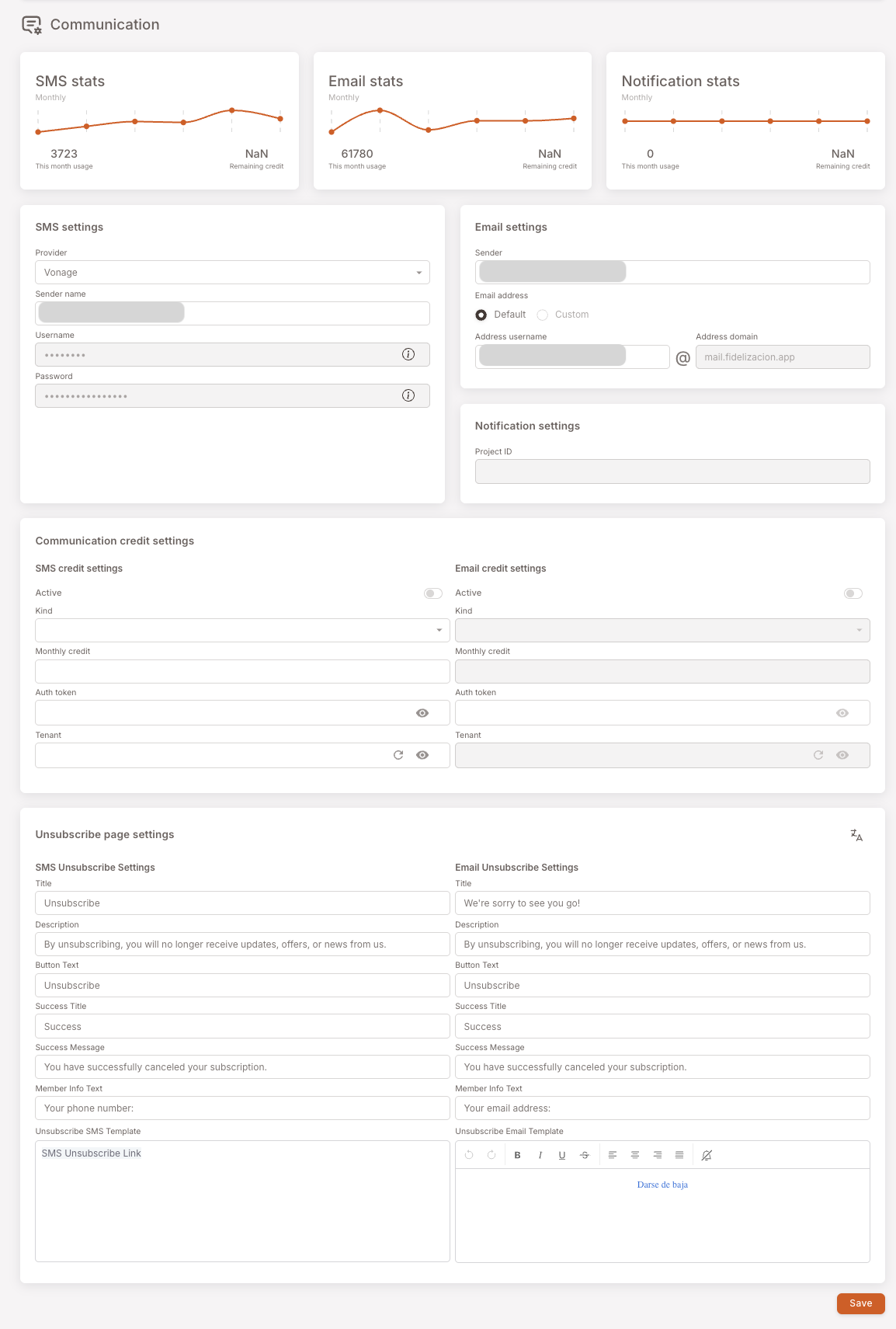
The Communication page brings together everything related to outbound messaging: monthly stats for SMS / Email / Notification usage, the provider settings (managed for you — usually only Sender Name needs editing), the communication credit settings (managed by your POS provider), and the unsubscribe page copy. Most fields here are touched by your integrator or POS partner, not by you. The stats and the Sender Name are the everyday-relevant pieces.
Page anatomy
The page is one long form. Top to bottom: usage stats, provider settings, credit settings, unsubscribe page copy.
Stats
Three usage cards across the top — SMS stats, Email stats, Notification stats. Each shows a monthly trend chart with this month's usage count and the remaining credit balance.
A subtle but important detail on SMS stats: the usage number is how many users have been sent an SMS, not how many SMS segments have been delivered. A long SMS or one carrying special characters can be billed by the provider as 2, 3, or 4 segments — the provider knows this number, but the platform doesn't, so the dashboard can't display it. If you're tracking spend, cross-check with your SMS provider's invoice rather than relying on this card alone.
The Email and Notification stats are simpler — usage = sends, since email and push don't have a segment concept the way SMS does.
SMS / Email / Notification settings
These cards configure the actual provider connection — credentials, sender identity, project IDs.
You shouldn't be editing most of these. Your POS provider or distributor manages the provider relationship and fills these in at launch. The one field you might occasionally update is the Sender name under SMS settings — for example, if your business renames or rebrands and you want the SMS to come "from" the new name.
Don't touch Provider, Username, Password, Email address details, or Project ID unless your integrator has asked you to.
Communication credit settings
This is where the credit balance / billing for outbound messaging is configured. The platform uses these settings to check how much credit your tenant has left before letting a campaign send.
This card is managed by your platform partner — the company that resells the loyalty platform to your business. They top up your communication credits and bill you separately for SMS, email, and push usage. Reading the Active / Monthly credit fields is fine; editing them yourself is rarely the right move.
If a campaign isn't sending and you suspect you're out of credit, check the Remaining credit number on the stats card at the top, then talk to your platform partner if it's at zero.
Unsubscribe page settings
Members who unsubscribe from SMS or email comms see an unsubscribe page with the copy configured here:
- Title — header on the page.
- Description — body explaining what unsubscribing does.
- Button Text — label on the confirm button.
- Success Title / Success Message — the confirmation shown after the member clicks unsubscribe.
- Member Info Text — the prompt asking the member for their phone number / email to confirm identity.
- Unsubscribe SMS Template / Unsubscribe Email Template — the message body sent in the unsubscribe-link SMS / email itself (the link that brings members to this page).
For most clubs the defaults are fine. Edit the copy here if you want a more on-brand tone of voice, or to translate.
When to touch this
- Sender Name change — under SMS settings, occasionally.
- Unsubscribe page copy — once at launch to match your brand voice; rarely after.
- Everything else — leave alone unless your integrator or POS partner asks.