Summarize with AI
Credits
In short
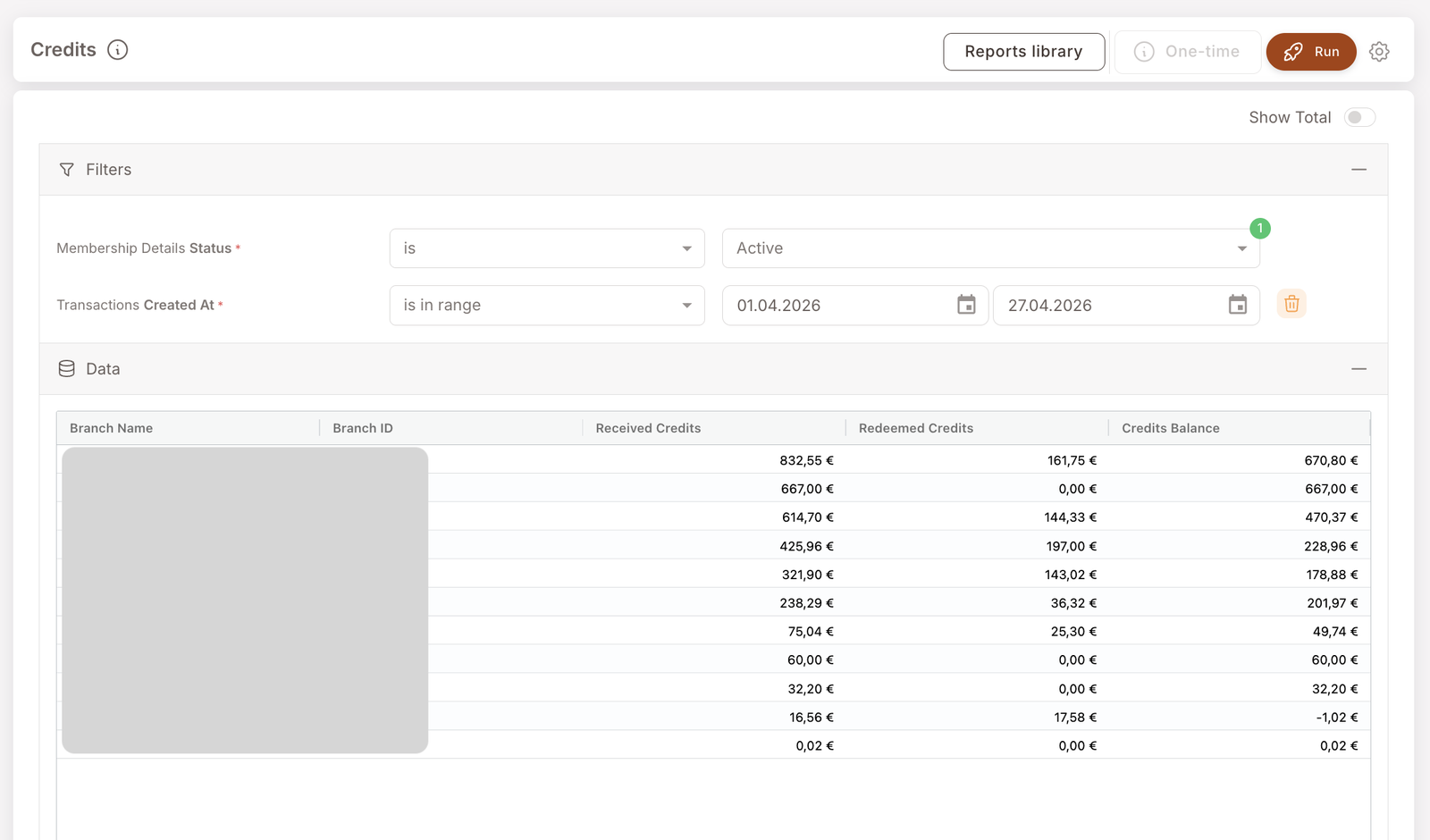
Branch-level breakdown of member credits — what's been received, redeemed, and what's still outstanding in a chosen period. Use it when you need to know how much of the credits currency is sitting in member wallets, and where it was earned.
This is the report to reach for when finance asks "how much credit do we owe members right now?" or when you're sizing the liability of a cashback campaign before a quarter-end review.
What you'll see
Required filters:
- Membership Details Status — typically Active; restricts to currently-active members.
- Transactions Created At — date range (rolling, e.g. is in the last 30 days, or fixed is in range [start] [end]).
Data columns (per branch):
- Branch Name / Branch ID — the branch the credit activity is attributed to.
- Received Credits — total credit value granted to members at this branch in the period.
- Redeemed Credits — total credit value spent by members at this branch in the period.
- Credits Balance — running balance (Received − Redeemed) for the period at this branch.
A negative balance row means redemptions outpaced grants in the period at that branch — usually fine, sometimes a flag.
When to reach for this report
4 common use cases
- Quarter-end liability sizing. Total Credits Balance across branches gives an estimate of the credits float still outstanding.
- Campaign-impact check. After launching or pausing a cashback Rule, run this report a week later — Received Credits should reflect the campaign's grant volume.
- Branch performance comparison. Branches with high Received but low Redeemed have members earning credits but not coming back to spend them — a re-engagement signal.
- Anomaly detection. A sudden spike in Received Credits at a single branch usually means either an unusually busy week, a configuration mistake on a Rule, or a cashier issue (e.g. accumulation Rule firing without the
memberCreditexclusion — see Cash Back playbook).
What to do with the result
Follow-on actions
- Re-engagement campaign for low-redemption branches. If a branch shows high Received but low Redeemed, the members at that branch may have forgotten about their balance. A reminder SMS with their current balance is a good nudge — see Comm. Templates → SMS template for using
Member: balanceas a dynamic field. - Detect branches that avoid letting members redeem. Persistent low Redeemed at a single branch — when peer branches are redeeming normally — can mean the staff there is steering members away from using their credits at the till. Worth an in-person check with that branch's manager.
- Audit a specific member's balance. If a number looks off, jump to the Member profile and read the activity timeline.
Related reports
- Member purchases — see the transactions that drove the credit grants.
- Discounts — sister report covering price-side promotional impact.
- Gift Performance Report — the asset-side equivalent for Gifts.